
2Day 2Day iOS app · coming soon

It’s your move.

The iOS app 2Day only shows you the tasks you can do right now. Matched to where you are and the time you have.
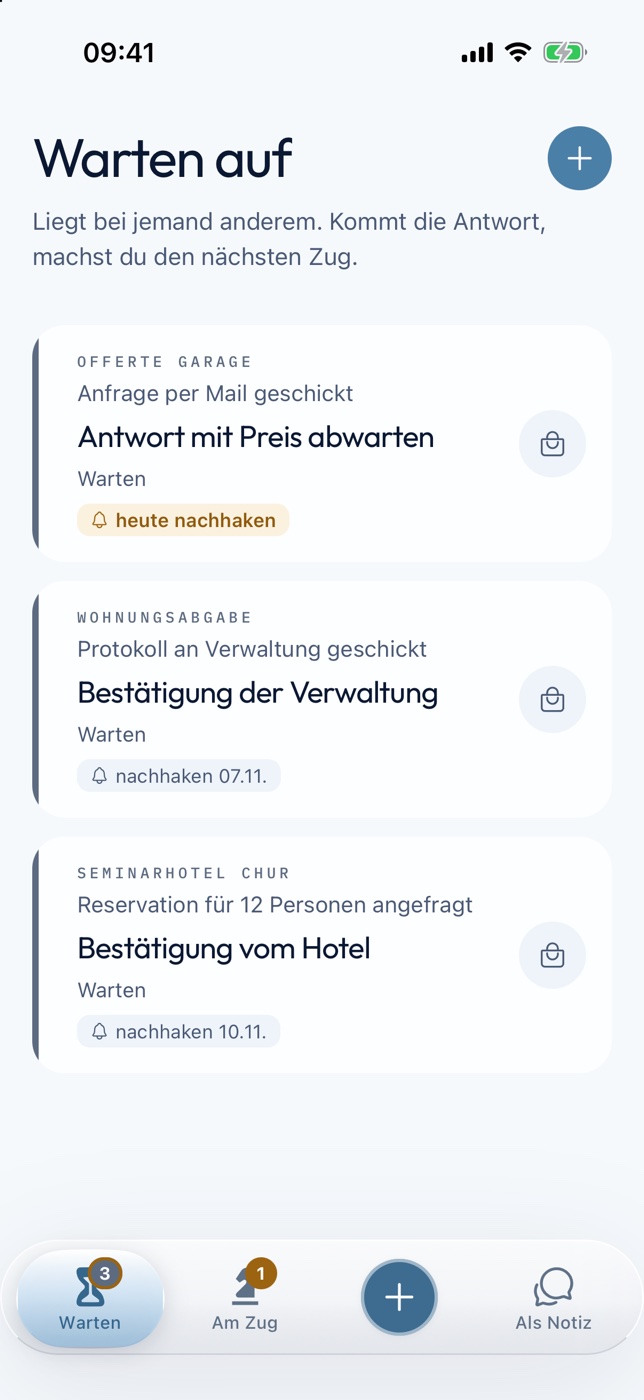
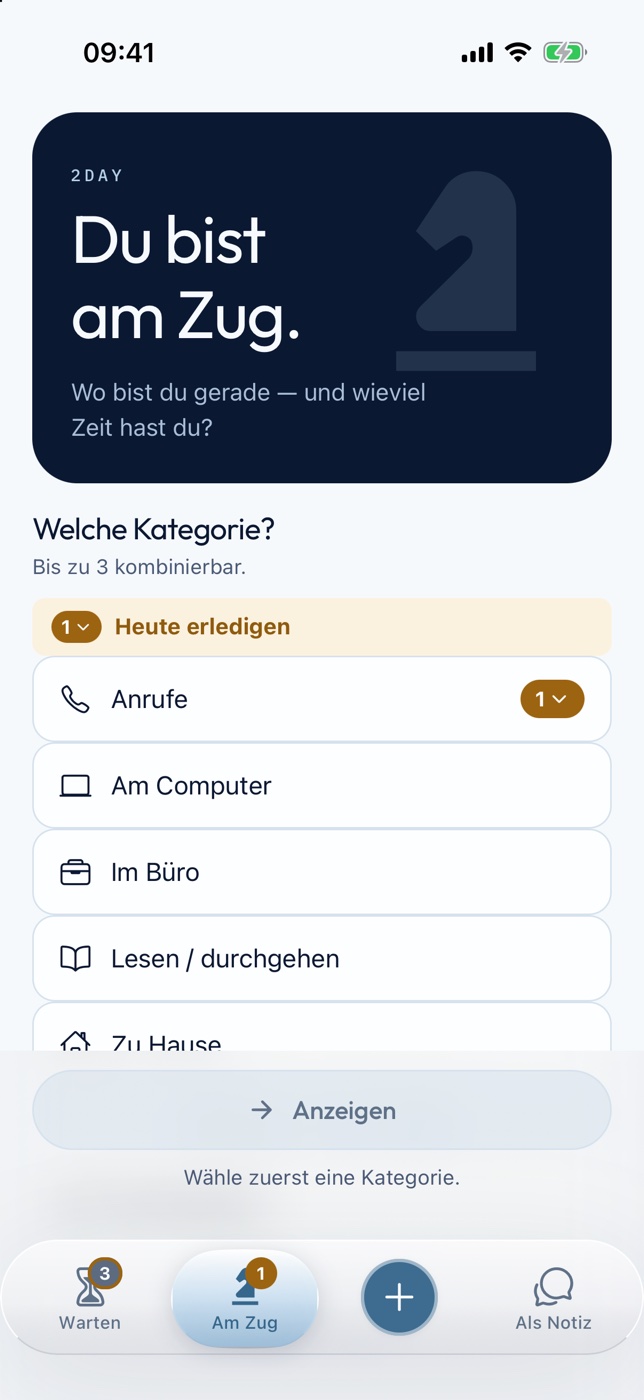
2Day: Waiting for list
2Day: start screen

Only what works now.

Tell the iOS app where you are and how much time you have. 2Day hides everything else and shows only the tasks that fit this moment.

  • Six categories: Calls, At the computer, At the office, Reading, At home, Errands
  • Up to three at once, for example At home and At the computer
  • Pick your free time: 5, 15, 30 or more minutes

What you gain: No overwhelming list. Only what you can actually do now.
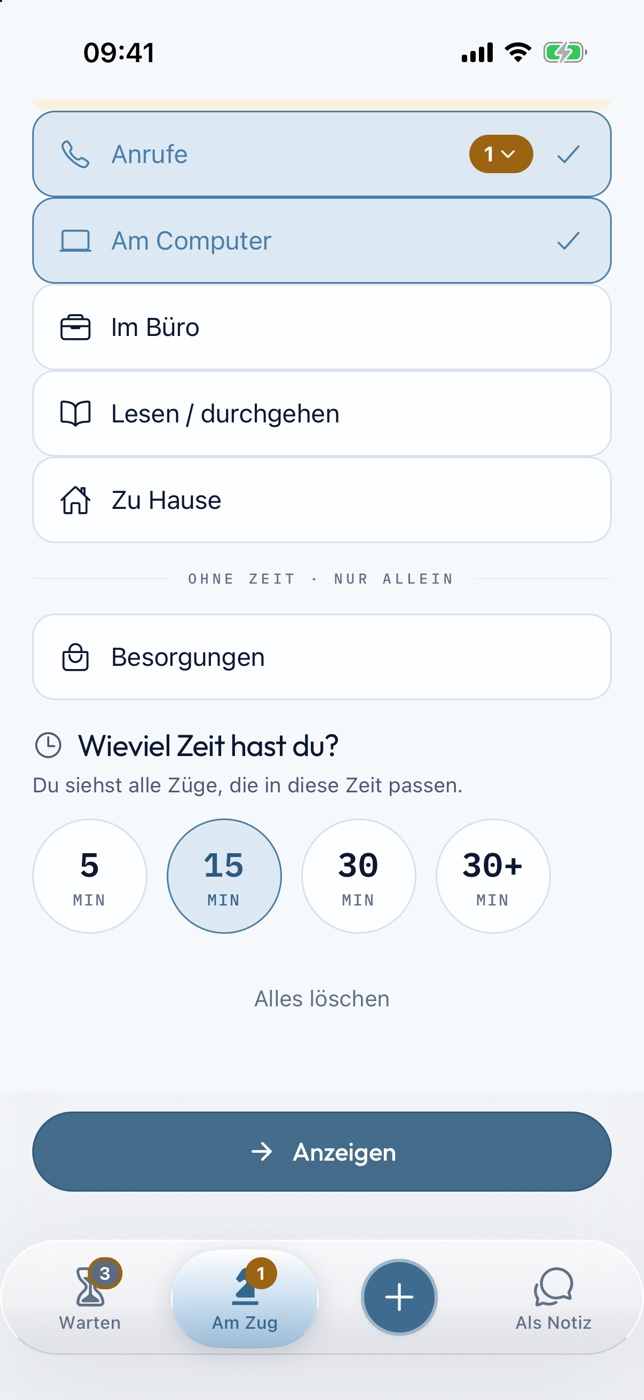
2Day: choose category and free time

One move at a time.

Every task is a series of moves, like in chess. You only ever see the next step, never the whole mountain.

  • Whatever is due today comes first
  • Every move shows its duration, like a chess clock
  • Doable in under 3 minutes? Then do it right away instead of planning it

What you gain: You start right away instead of wondering where to begin.
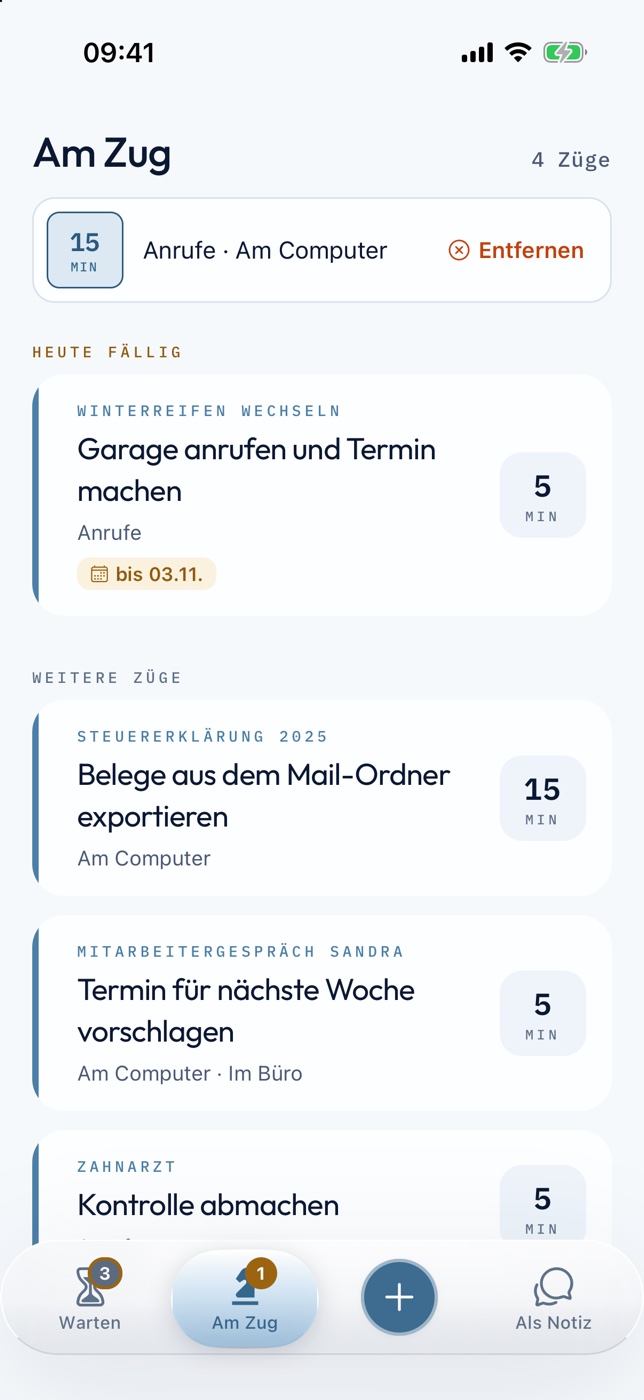
2Day: filtered list of moves

Nothing gets lost.

Waiting for a reply, a quote or a confirmation? Park the move under Waiting for. 2Day tells you when to follow up.

  • Follow up on a date you choose
  • Follow-ups due today are highlighted
  • When the answer comes, you make the next move

What you gain: You no longer have to remember who still owes you something.

2Day: Waiting for with follow-up dates

Ready for your next conversation.

Whatever you want to tell someone next time, you file it right under their name. In the conversation, it’s all there.

  • Notes per person, key people as favorites
  • Speak instead of typing, in every field
  • Your data stays on your iPhone, no account needed

What you gain: You say everything you meant to say.
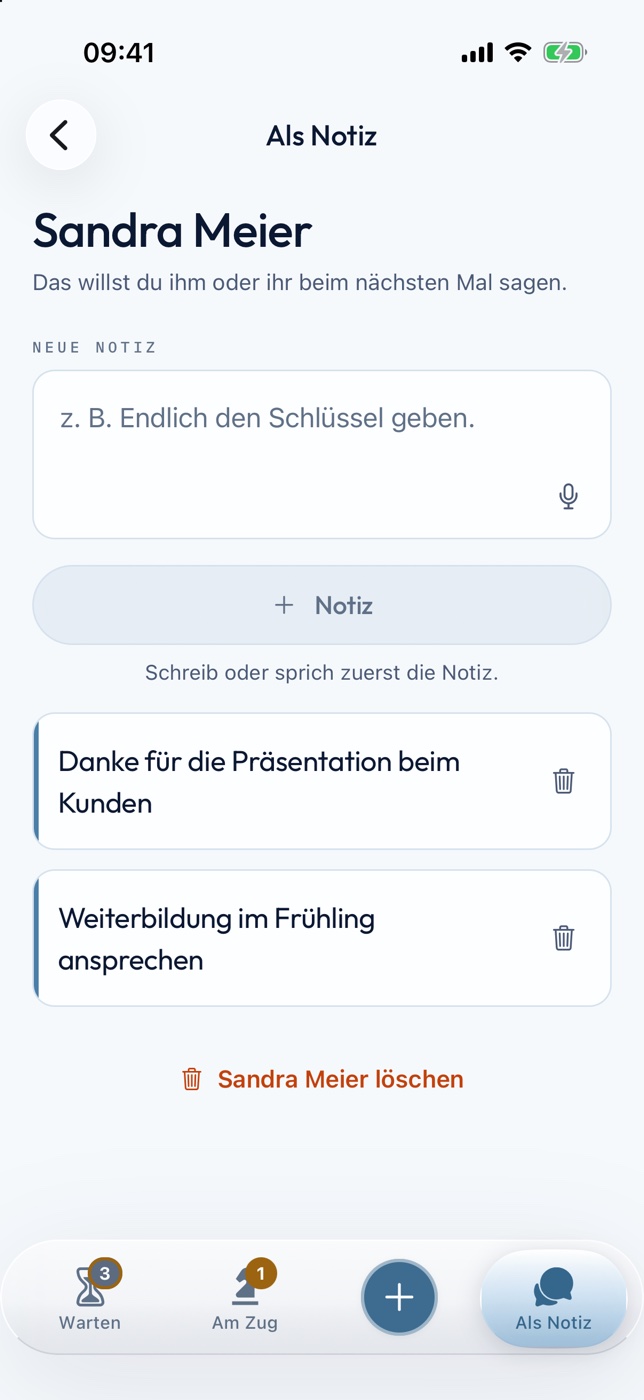
2Day: notes for a person

Coming soon to the App Store.

Sign up. As soon as the 2Day iOS app is available, Tony will get in touch with you personally.

You can learn the method behind 2Day today in the Flow State Training.